
The short answer
Select the cloud resources in scope, identify the access population, and give business owners enough context to decide who still needs access. Record the decision, apply approved changes, and verify effective permissions. Include privileged access and external users, and separately examine application identities that a people-focused review may miss.
Illustrated guide
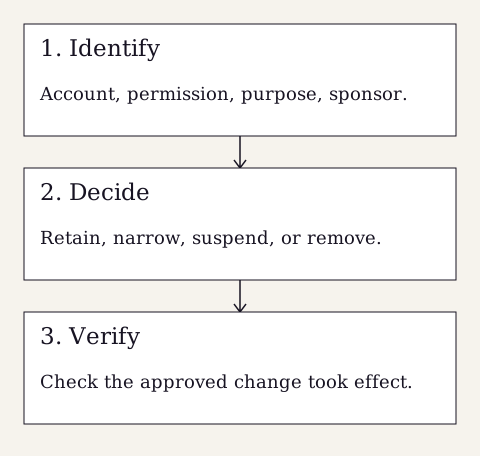
Read the diagram as text
- Identify: Account, permission, purpose, sponsor.
- Decide: Retain, narrow, suspend, or remove.
- Verify: Check the approved change took effect.
Choose a useful first population
A cloud identity review can become overwhelming when it begins with every account in every application. Choose a defined first population, such as administrators, external collaborators, or users of a sensitive business application. Record the tenant, application, groups, and roles included. Explain why the population matters to service delivery or information protection so reviewers can connect their decisions to a real purpose.
Microsoft documents access reviews for group memberships, enterprise application access, and role assignments in Entra. Available capabilities depend on licensing and the specific feature. Confirm what the organization has before planning an automated campaign. A carefully controlled manual review can establish useful decisions when tooling is limited, provided the population, ownership, changes, and verification are recorded consistently.
Show how access is actually granted
An account list alone may not explain effective access. A user may receive permissions through a group, a direct application assignment, or an administrative role. Ask the technical owner to identify the relevant paths and any limits of the export. If a report excludes direct assignments or nested relationships, state that clearly rather than describing the report as a complete view.
Give the reviewer the user’s identity, organizational relationship, permission level, business purpose, and internal sponsor where available. Include useful dates without letting a last sign-in field make the decision by itself. An account may remain necessary for an infrequent task, while a recently used account may belong to someone whose role has changed. The owner needs context and a way to ask questions.
Assign reviewers who know the work
Application owners can judge business need; technical administrators can explain permission effects. Pair those responsibilities when one person cannot answer both questions. Avoid asking a manager to approve a list of unfamiliar technical roles without explanation. Provide clear outcomes: retain, reduce, remove, or investigate. An unanswered request should follow an agreed escalation process rather than silently becoming a permanent approval.
Illustrative example: a district employee moved from billing to operations but still has a billing export permission. The billing owner confirms whether any transition work remains. IT identifies how that permission is assigned, applies the approved change, and checks the resulting access. This example demonstrates the review process. It does not imply that an unfamiliar permission should be removed without checking operational dependencies.
Review privileged and nonhuman access carefully
Privileged roles deserve explicit attention because their permissions may reach beyond one business application. Identify the role owner, purpose, authentication arrangements, and recovery dependencies. Coordinate changes to emergency access accounts through the organization’s documented procedure. Removing a role without understanding the recovery plan can create a different operational problem. Record temporary exceptions and the person responsible for revisiting them.
Application identities, service accounts, and integrations need their own review questions. Identify the owning team, the systems they connect, the permission scope, and how changes are tested. Do not assume a campaign designed for employees covers these identities. Do not paste credentials into a review spreadsheet. Reviewers need facts about ownership and access; secrets should remain in the approved protected system.
Close the loop on every approved change
After decisions are approved, track implementation separately from review completion. Check effective access in the relevant application or role system. Record any delay caused by a supplier, dependency, or uncertainty. If the review platform can apply decisions automatically, confirm the configured behavior and inspect the result. A recorded denial is not sufficient evidence that every related access path has ended.
Keep the reviewed population, decisions, exceptions, change records, and verification together. Use the findings to improve onboarding, role changes, and departures so the next review has fewer unexplained permissions. A defined assessment at Security Assessment can help establish scope when the access model is unclear. Select future review timing according to sensitivity, change frequency, and the organization’s capacity to follow through.
Sources and further reading
This field note is general educational guidance. Your organization’s requirements, scope, and service arrangements determine the work that applies.